Getting started
Outcome
You will create or join a workspace, connect a first source, and confirm that Threadory has started receiving data.
Before you begin
- a Threadory account with a verified email (required before password sign-in when verification is enforced);
- either permission to create an organization, or an invite / company-domain auto-join;
- an administrator or owner role to connect a source;
- access to a test workspace in the external service.
Steps
- Sign up or sign in. If email verification is required, open the link from the verification email before continuing.
- If you have no organization yet, onboarding offers two paths:
- Create an organization — you become owner and create the first project;
- Join an existing one — paste an invite link, or use I've verified my email — check again if your company enabled domain capture.
- After create: use the recommended sources (or Connect a source) to open Connectors and install a tool. Prefer a path that returns you to setup when offered.
- Run Sync now if available, then follow the activation checklist in the sidebar or on the Dashboard. Use Continue setup in the sidebar if you left mid-flow.
- Inviting teammates is optional for checklist completion — solo setups can finish without a second member.
The checklist is complete after a source is connected, data has been received, and at least one skill has run. Inviting the team is recommended but not required.
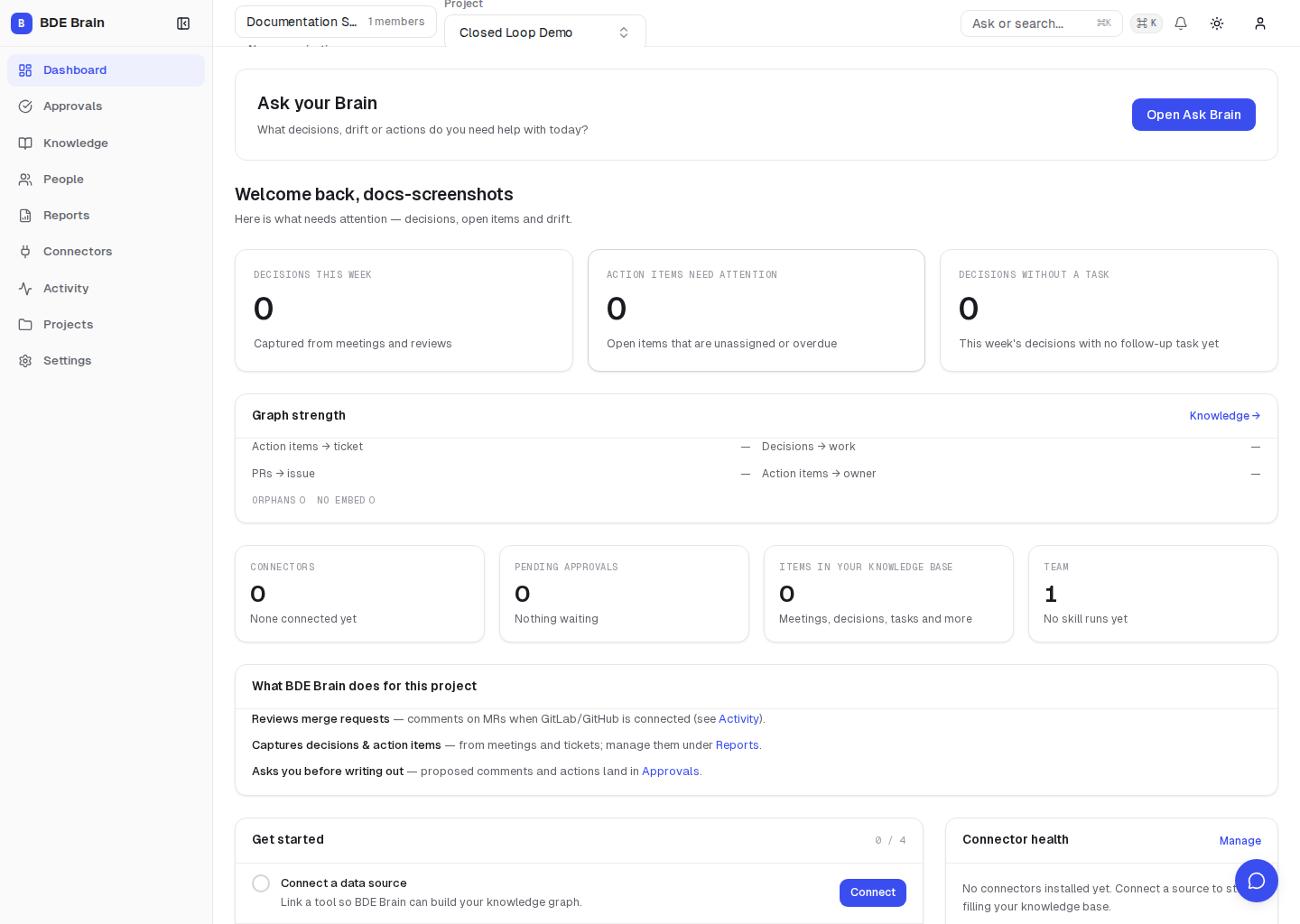
Verify the result
- the connection appears on Connectors without an error;
- data appears in Knowledge after synchronization;
- the first post-sync run appears in Activity.
Common problems
| Symptom | Likely cause | What to do |
|---|---|---|
| Stuck on “Check your email” | Verification not completed | Open the latest verification link; request a new one if expired |
| No connection button | Your role does not have permission | Ask an administrator or owner to connect the source |
| The connection exists but no data appears | The first sync is still running or its scope is empty | Check Activity, then review the connection settings |
| The checklist does not change | The sync or skill has not completed | Refresh the page after the run completes in Activity |
| Data from the wrong project appears | A different project is active | Check the project switcher at the top of the interface |
| Domain join does nothing | Domain not configured or email not verified | Ask an admin to add your domain under Settings → Organization, then re-check |
Next step
Complete your first closed loop.